• CATEGORIES
  • ABOUT US
  • TEAM
  • CORE VALUES
  • OUR MISSION
  • CONTACT
WSML

WEBSITE MAINTENANCE

  • HOME
  • MODULAR DS
    • MAINTENANCE
    • BACKUPS
    • UPTIME
    • SAFETY
    • SEO
    • REPORTS
  • WORDPRESS
    • Content Management
    • E-commerce Optimization
    • Performance Optimization
    • SEO
    • SEO for WordPress
    • Website Analytics
    • WordPress Backup & Recovery
    • WordPress Development
    • WordPress Maintenance
    • WordPress Maintenance Plans
    • WordPress Performance Optimization
    • WordPress Security
    • WordPress Site Security
    • WordPress Troubleshooting
    • WordPress Updates & Compatibility
  • BLOG
No Result
View All Result
  • HOME
  • MODULAR DS
    • MAINTENANCE
    • BACKUPS
    • UPTIME
    • SAFETY
    • SEO
    • REPORTS
  • WORDPRESS
    • Content Management
    • E-commerce Optimization
    • Performance Optimization
    • SEO
    • SEO for WordPress
    • Website Analytics
    • WordPress Backup & Recovery
    • WordPress Development
    • WordPress Maintenance
    • WordPress Maintenance Plans
    • WordPress Performance Optimization
    • WordPress Security
    • WordPress Site Security
    • WordPress Troubleshooting
    • WordPress Updates & Compatibility
  • BLOG
No Result
View All Result
WSML
No Result
View All Result
Home MODULAR DS Maintenance

Unlock the Secrets: How to Choose the Best Website Maintenance Tools

J.Blanco by J.Blanco
in Maintenance
0
0
SHARES
54
VIEWS
FacebookXLinkedinPinterestWhatsappEmail

In this article:

  • Identifying Your Website Maintenance Needs
  • Key Features to Look for in Website Maintenance Tools
  • Types of Website Maintenance Tools to Consider
  • The Selection Process How to Choose Website Maintenance Tools
  • Integrating Tools into Your Workflow
  • Real-World Examples and Case Studies
  • Common Mistakes to Avoid When Selecting Maintenance Tools
  • Frequently Asked Questions
When it comes to selecting the best website maintenance tools, it’s crucial to consider factors such as reliability, user-friendliness, cost-effectiveness, and scalability. These tools should align with your specific requirements, ensuring your website remains secure, efficient, and up-to-date. By understanding your needs and evaluating available options, you can make informed decisions that enhance your site’s performance and user experience.

Website maintenance is a critical component of any successful online presence. It ensures that your site remains functional, secure, and relevant to your audience. Regular maintenance impacts your site’s SEO, helping it rank higher in search engine results, which in turn drives more traffic. Neglecting website upkeep can lead to a host of issues, including security vulnerabilities, slow loading times, and a poor user experience, all of which can deter potential customers and harm your brand’s reputation.

Advertisements

Moreover, a well-maintained website reflects positively on your business, showing visitors that you are committed to providing them with the best possible experience. This commitment can lead to increased customer trust and loyalty, ultimately boosting your bottom line. Therefore, understanding the importance of website maintenance is the first step in ensuring your site’s success.

Identifying Your Website Maintenance Needs

Before diving into the selection of maintenance tools, it’s essential to assess your website’s specific needs. Start by evaluating the complexity of your site. A simple blog will have different requirements than a complex e-commerce platform. Determine how often your site needs updates, whether it’s daily, weekly, or monthly. This frequency will guide you in choosing tools that can handle your update schedule efficiently.


Modular DS Modular DS Modular DS

Security is another critical factor. If your site handles sensitive data, you’ll need robust security measures in place. Performance is equally important; a slow website can frustrate users and lead to high bounce rates. By recognizing these specific requirements, you can focus on finding tools that address these needs effectively.

Key Features to Look for in Website Maintenance Tools

Advertisements

When selecting website maintenance tools, there are several key features to consider:

Reliability and Security Your chosen tools must be reliable and secure to protect your data and ensure your site remains operational. Evaluate the security features of each tool, such as encryption and regular security updates.

 READ
Boost Your Small Business Success with a Website Maintenance Plan

User-Friendliness The tools should have intuitive interfaces that make them easy to use. This ease of use can significantly impact your team’s productivity, allowing them to focus on other important tasks.

Advertisements

Cost-Effectiveness Compare the pricing models of different tools to ensure you’re getting the best value for your investment. While it’s tempting to opt for cheaper options, investing in quality maintenance tools can save you money in the long run by preventing costly issues.

Types of Website Maintenance Tools to Consider

There are various types of website maintenance tools available, each serving a specific purpose:

Website Management Software These tools, such as Modular DS, offer comprehensive solutions for managing your site. They provide functionalities like automated updates, backups, and performance monitoring, making them invaluable for efficient website upkeep.

Advertisements

Website Performance Monitoring Tools Tools that monitor load speed and uptime are crucial for maintaining a smooth user experience. They help identify performance bottlenecks and ensure your site runs optimally.

Website Security Tools Security tools protect your site from threats like malware and hacking attempts. Look for tools with features like firewall protection and regular security scans.

Content Management Systems (CMS) A good CMS simplifies content updates and overall website maintenance. Evaluate options like WordPress for their ease of use and flexibility.
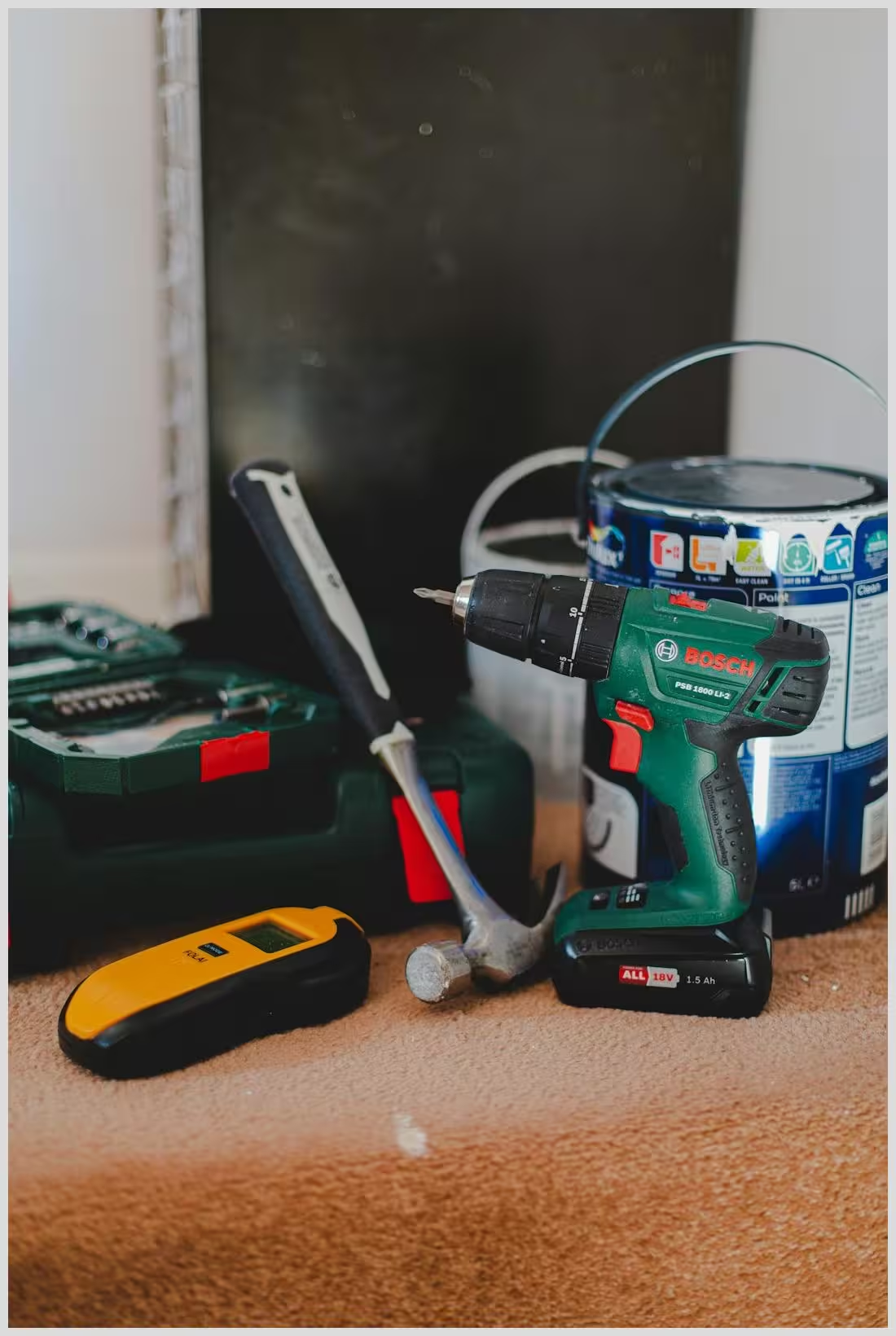
How to select website maintenance tools
Advertisements

How to select website maintenance tools

The Selection Process: How to Choose Website Maintenance Tools

Choosing the right website maintenance tools involves a structured process:

Step 1: Define Your Requirements
Create a checklist of must-have features based on your site’s needs. Prioritize these features according to your business goals to ensure the tools you select align with your objectives.

Advertisements

Step 2: Research and Compare Options
Utilize online resources and reviews to gather information about different tools. Engage with user communities to gain insights into the tools’ performance and reliability.

Step 3: Trial and Evaluation
Take advantage of free trials and demos to test the tools’ capabilities. During the trial period, assess key metrics such as ease of use, performance, and compatibility with your existing systems.

Integrating Tools into Your Workflow

Once you’ve selected your website maintenance tools, it’s important to integrate them seamlessly into your workflow. Develop strategies for incorporating these tools into your daily operations, ensuring they complement your existing processes. Train your team on how to use the new tools effectively to maximize their benefits.

Advertisements

Establish a routine for regular maintenance checks to keep your site running smoothly. This routine should include tasks like updating software, monitoring performance, and conducting security audits. By integrating these tools into your workflow, you can streamline your maintenance efforts and improve your site’s overall performance.

 READ
Unlock Your Future: Top Website Maintenance Jobs Await You!

Real-World Examples and Case Studies

Many businesses have successfully improved their website maintenance by using the right tools. For example, companies that have implemented Modular DS have reported streamlined processes and enhanced site performance. These success stories highlight the importance of choosing the right tools for your specific needs.

On the other hand, some businesses have faced challenges due to inadequate maintenance strategies. These lessons underscore the need for thorough research and careful selection of maintenance tools. By learning from these examples, you can avoid common pitfalls and ensure your site’s success.

Common Mistakes to Avoid When Selecting Maintenance Tools

When choosing website maintenance tools, it’s important to avoid common mistakes:

Overlooking Scalability Ensure the tools you select can grow with your business. As your site expands, you’ll need tools that can handle increased traffic and complexity.

Ignoring User Feedback Pay attention to user reviews and feedback to gauge the tools’ effectiveness and reliability. This information can provide valuable insights into potential issues.

Failing to Consider Total Cost of Ownership Consider all costs associated with the tools, including setup, maintenance, and support. This comprehensive view will help you make informed decisions.

Unlock the secrets: how to choose the best website maintenance tools

Unlock the secrets: how to choose the best website maintenance tools

Frequently Asked Questions

How often should I perform website maintenance?
Regular maintenance should be performed at least monthly, with more frequent checks for high-traffic sites. What are the essential tools for website upkeep?
Essential tools include website management software, performance monitoring tools, security tools, and a reliable CMS. How do I know if a maintenance tool is right for my business?
Evaluate the tool’s features, compatibility with your existing systems, and user feedback to determine its suitability.

What is the role of backups in website maintenance?
Backups are crucial for data protection, allowing you to restore your site in case of data loss or corruption.


We’d love to hear your thoughts on website maintenance tools! What do you think about the options available? How do you ensure your site remains secure and efficient? Share your experiences and insights in the comments below.


More on this topic:

  • Master website maintenance: Unlock secrets to keep your site thriving
  • Essential Website Maintenance for Nonprofits: Boost Your Impact Now
  • Unlock Your Website’s Potential: Top Performance Monitoring Tools
Tags: CONTENT MANAGEMENT SYSTEMSCOST-EFFECTIVENESSMAINTENANCE STRATEGIESPERFORMANCE MONITORINGREGULAR MAINTENANCE CHECKSSCALABILITYSECURITY VULNERABILITIESUSER EXPERIENCEWEBSITE MAINTENANCE TOOLSWEBSITE MANAGEMENT SOFTWARE
ShareTweetSharePinSendSend
Modular DS Modular DS Modular DS
Previous Post

Guide to WordPress Version Control Integration with ModularDS

Next Post

Essential Website Maintenance for Nonprofits: Boost Your Impact Now

J.Blanco

J.Blanco

I'm J.Blanco, an IT expert with over 20 years of experience. My specialty is website maintenance, particularly with WordPress. I've worked with numerous clients across various industries, helping them keep their websites secure, up-to-date, and performing optimally. My passion lies in leveraging technology to help businesses thrive in the digital world.

Related Posts

Cartoon man holding a laptop with SEO keywords and icons, a visual prompt to Avoid These 3 Costly Website Maintenance Mistakes Now.
Blog

Avoid These 3 Costly Website Maintenance Mistakes Now

by J.Blanco
44
Unlock Your Website’s Potential with Expert Maintenance Services
Maintenance

Unlock Your Website’s Potential with Expert Maintenance Services

by J.Blanco
45
Next Post
Essential Website Maintenance for Nonprofits: Boost Your Impact Now

Essential Website Maintenance for Nonprofits: Boost Your Impact Now

Please login to join discussion

OUR RECOMMENDATIONS

Monitor displaying server-side code and a shield icon illustrating Essential WordPress .htaccess Rules for Enhanced Security.
WordPress Site Security

Essential WordPress .htaccess Rules for Enhanced Security

by J.Blanco
0
135

Boost your site’s defense with proven WordPress .htaccess security rules! Ready to block threats and secure sensitive files? Act now!

Read more

POPULAR POSTS

  • Site backup maintenance task: Unlock seamless data protection now!

    Site backup maintenance task: Unlock seamless data protection now!

    0 shares
    Share 0 Tweet 0
  • Unlock the Secret: How Often Should You Update Your Website Content?

    0 shares
    Share 0 Tweet 0
  • Resolve website performance issues fast: Unlock your site’s potential!

    0 shares
    Share 0 Tweet 0
  • Unlock 7 Essential Benefits of Regular Website Maintenance Today

    0 shares
    Share 0 Tweet 0
  • Unlock Your Website’s Potential with Expert Maintenance Services

    0 shares
    Share 0 Tweet 0

YOU MAY ALSO LIKE

Desk with a compact modular server, tablet displaying analytics charts and documents illustrating How to Write Review Articles That Convert for ModularDS

How to Write Review Articles That Convert for ModularDS

23
Essential tips for updating plugins without breaking your site

Essential tips for updating plugins without breaking your site

47
Unlocking Website Maintenance Costs: What You Need to Know Now

Unlocking Website Maintenance Costs: What You Need to Know Now

25
Modular DS Modular DS Modular DS
© websitemaintenancelab.com

© websitemaintenancelab.com

  • Legal notice
  • Privacy policy
  • Cookie policy
  • Sitemap

No Result
View All Result
  • HOME
  • MODULAR DS
    • MAINTENANCE
    • BACKUPS
    • UPTIME
    • SAFETY
    • SEO
    • REPORTS
  • WORDPRESS
    • Content Management
    • E-commerce Optimization
    • Performance Optimization
    • SEO
    • SEO for WordPress
    • Website Analytics
    • WordPress Backup & Recovery
    • WordPress Development
    • WordPress Maintenance
    • WordPress Maintenance Plans
    • WordPress Performance Optimization
    • WordPress Security
    • WordPress Site Security
    • WordPress Troubleshooting
    • WordPress Updates & Compatibility
  • BLOG

© websitemaintenancelab.com

Welcome Back!

Login to your account below

Forgotten Password?

Retrieve your password

Please enter your username or email address to reset your password.

Log In
Gestionar el consentimiento de las cookies
Para ofrecer las mejores experiencias, utilizamos tecnologías como las cookies para almacenar y/o acceder a la información del dispositivo. El consentimiento de estas tecnologías nos permitirá procesar datos como el comportamiento de navegación o las identificaciones únicas en este sitio. No consentir o retirar el consentimiento, puede afectar negativamente a ciertas características y funciones.
Funcional Always active
El almacenamiento o acceso técnico es estrictamente necesario para el propósito legítimo de permitir el uso de un servicio específico explícitamente solicitado por el abonado o usuario, o con el único propósito de llevar a cabo la transmisión de una comunicación a través de una red de comunicaciones electrónicas.
Preferencias
El almacenamiento o acceso técnico es necesario para la finalidad legítima de almacenar preferencias no solicitadas por el abonado o usuario.
Estadísticas
El almacenamiento o acceso técnico que es utilizado exclusivamente con fines estadísticos. El almacenamiento o acceso técnico que se utiliza exclusivamente con fines estadísticos anónimos. Sin un requerimiento, el cumplimiento voluntario por parte de tu proveedor de servicios de Internet, o los registros adicionales de un tercero, la información almacenada o recuperada sólo para este propósito no se puede utilizar para identificarte.
Marketing
El almacenamiento o acceso técnico es necesario para crear perfiles de usuario para enviar publicidad, o para rastrear al usuario en una web o en varias web con fines de marketing similares.
  • Manage options
  • Manage services
  • Manage {vendor_count} vendors
  • Read more about these purposes
Ver preferencias
  • {title}
  • {title}
  • {title}
Loading...
This website uses cookies. If you continue to use this website, you will be giving your consent to the use of cookies. Please visit our Cookie Policy.